Jet45 v1 & Arduino-Based Jet45 v2
Coming for Free on Hangar45.net
After more than 15 years of continuous development, we are proud to announce that
Jet45 v1 and the new
Arduino-based Jet45 v2 plug-and-play software
will be made available completely free to the flight simulation community.
What began in 2008 as a personal mission to build high-fidelity avionics for serious home cockpit builders
has evolved into a mature, field-tested ecosystem powering custom panels, FMS integrations, flight guidance systems,
and distributed hardware modules.
Jet45 v2 represents the next evolution — modular, streamlined, and built around Arduino for true plug-and-play
flexibility. Whether you are building your first hardware panel or refining a full cockpit environment,
Jet45 is designed to scale with you.
This release is about giving back — supporting the community and empowering the next generation of builders
to learn deeply, innovate boldly, and build something extraordinary.
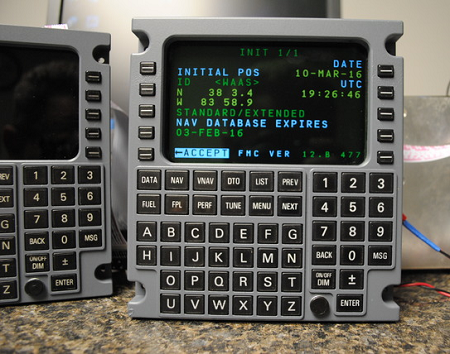
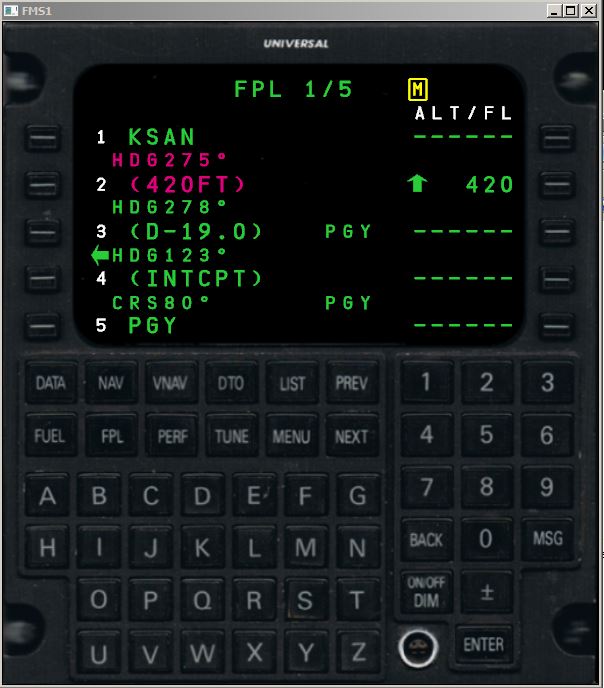
UNS-1 FMS Simulation (V1.2)
This high fidelity UNS-1 FMS simulation is compatible with most small/medium Jet and turboprop aircraft for Microsoft Flight Simulator and Prepar3d. This is not a panel gauge that is run inside the simulator, but is a completely stand-alone program. This can be run on your windows desktop, or one of our REAL FMS keypads.
Features
- Does not use MSFS/P3D flight Planner, create, edit, and fly your flightplan right from the FMS!
- Plug and play with Arduino based FMS Keypad
- Holding Patterns (beta)
- Fuel Entry
- Performance analysis (beta)
- Precision Approaches (RNAV, RNP)
- ILS Approaches
- VNAV (coming soon)
- Database available from Navigraph.com
- Nav database lookup
- Dual FMS (coming soon)
- Includes new MFD which displays FMS flight plans
-
FMS Demo Download
- Requires FSUIPC
- Only functional within 60nmi of KICT Airport
Documentation
FMS Installation and Use Guide
Tutorials
FMS Database Tutorial